
Acode - code editor | OSS
Foxbiz Software Pvt. Ltd.Productivity
4.2154.00 Reviews
- Version
- 1.11.8
- Installs
- 10.00K
- Age Rating
- Everyone
Screenshots
Our Review of Acode - code editor | OSS
 Analysis by Appyee
I think the most useful question to ask before choosing a phone-based coding tool is not whether it can replace a desktop setup, but which small coding jobs you actually want to do away from one. I’d reach for Acode - code editor | OSS to inspect a project, make a focused edit, or practise syntax when I have a few spare minutes. I would not treat a mobile editor as my only environment for a complicated build or a large refactor.
Pick it for the work you want to do
Acode is a productivity app from Foxbiz Software Pvt. Ltd., aimed at people who want to work with code on Android. Its appeal is the combination of an editor and project-oriented tools in one place: rather than opening a basic text app, I can work with files, see code formatting cues, and use the integrated terminal when the task calls for it. That mix matters more than a long feature checklist if the goal is to make a quick, meaningful change.
The practical test is whether your work can be divided into short, clear steps. Editing a stylesheet, correcting a typo in a script, or reviewing a small HTML file suits a phone far better than navigating a sprawling codebase. A larger screen and keyboard make the experience more comfortable, but even on a phone I can imagine using it for a quick inspection or a small correction while away from my usual computer.
A useful middle ground between notes and a desktop IDE
Compared with a plain text editor, Acode is better suited to code because it offers language-aware presentation and coding conveniences. Compared with a full desktop IDE, it asks less of the user and is easier to open for a single task, but the compact screen and touch input remain real constraints. I see it as a bridge: more capable than jotting code into a generic notes app, yet not a substitute for the space and tooling of a desktop workstation.
That middle ground is especially helpful for learning. A beginner can open a small example, read the highlighted structure, and make one change at a time without first setting up a complex desktop workspace. Still, I would use a separate learning resource to explain programming concepts; an editor can make code easier to work with, but it cannot tell you whether your design is sound or teach every language feature.
Make small edits safer and easier to revisit
One practical habit I recommend is to keep each mobile session narrow. Before changing a file, identify what you intend to fix; after editing, scan the surrounding lines rather than trusting a single tap. Touchscreens make it easy to put the cursor in the wrong place, and a small, deliberate change is easier to review than a broad rewrite typed on glass.
The file manager also changes how I would use the app. Instead of treating code as one-off snippets, I can keep related files together and return to a project later. For a web learner, for example, that makes it easier to move between an HTML page, its stylesheet, and a script without switching to an unrelated file browser. I would still be careful about where project files are stored and keep a separate copy of anything important; convenience is not a reason to skip a sensible backup routine.
Know when the mobile workflow stops helping
The main trade-off is physical: a phone gives you less room to see code and less precision for selecting text than a computer. That becomes more noticeable when a file is long, a change spans several places, or you need to compare multiple files at once. In those cases I would wait for a larger screen or move the work to a desktop IDE instead of forcing a frustrating session on a small display.
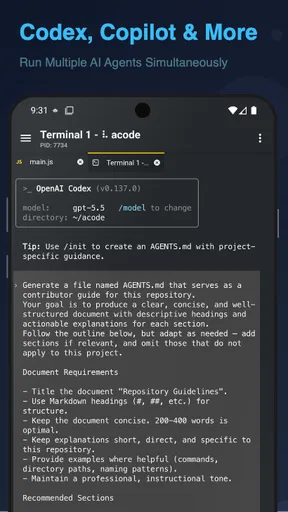
The terminal is useful for keeping command-line work close to the editor, but its presence alone does not make every development task convenient on a phone. If your project depends on a desktop workflow, or you need extensive debugging and multi-window comparison, the desktop option is the better fit. For a quick edit or a learning exercise, however, having the editor and terminal together can reduce the friction of getting started.
Who should consider it, and what it costs
I would recommend Acode to Android users who already know what file they want to edit, students practising with small examples, and developers who want a portable place to inspect or adjust code. I would steer away anyone expecting a phone app to provide the full comfort of a computer-based development environment. It is most convincing when used as a companion for focused tasks rather than as a promise to do every part of software development on a handset.
The app has a 4.2 average from around 1,200 ratings, with over 10,000 installs. It costs $3.99, is rated for Everyone, and supports Android 7.0 or later. There are also in-app purchases, ranging from $0.49 to $114.99 per item, so I would check the purchase details before committing to anything beyond the initial price. Its current version is 1.11.8, and it was released on September 1, 2019.
In my view, the right buying decision depends on whether you value a code-focused workspace on your Android device enough to use it regularly. If most of your coding happens at a computer, this can still be handy for small jobs, but it may not become part of your daily routine. If you often need to inspect or adjust files away from your desk, the focused workflow is a more persuasive reason to try it.
Have you ever wished for a pocket-sized powerhouse to handle your coding on the go? Well, let me introduce you to Acode - code editor | OSS. This nifty app has quickly become one of my favorites for mobile coding, and I’m excited to share why it might just be what you’re looking for.
Getting Started with Acode
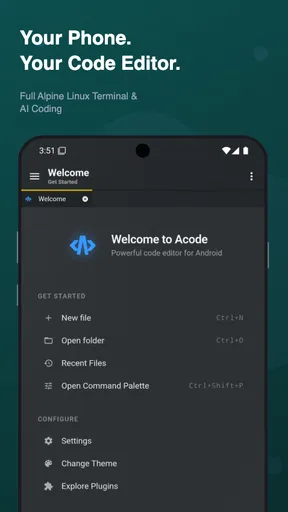
The first thing you’ll notice when you fire up Acode is its sleek and straightforward interface. It’s like the developers have taken the clutter out of coding and given us a clean slate to work with. Setting it up was a breeze, and I was diving into my first project within minutes.
Features that Make Acode Stand Out
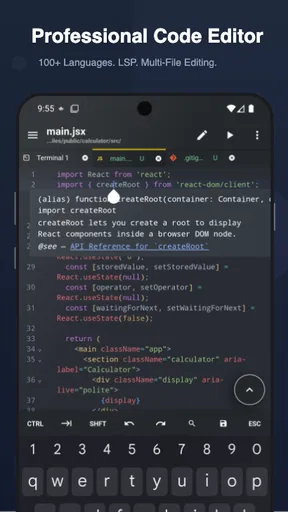
One of the standout features for me is the app’s ability to support a wide range of programming languages. Whether you’re tinkering with HTML, CSS, JavaScript, or even Python, Acode has got you covered. This versatility means I can switch between projects without missing a beat.
Another cool feature is the built-in file manager. No more juggling between apps to locate your files; everything you need is right here. You can easily create, delete, and manage your files, ensuring that your workflow remains uninterrupted.
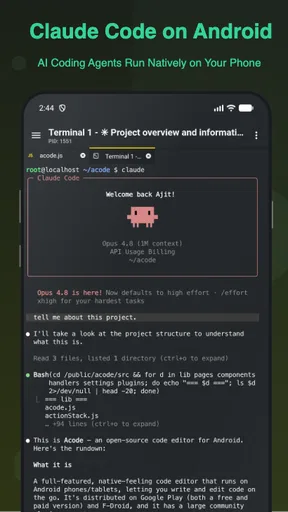
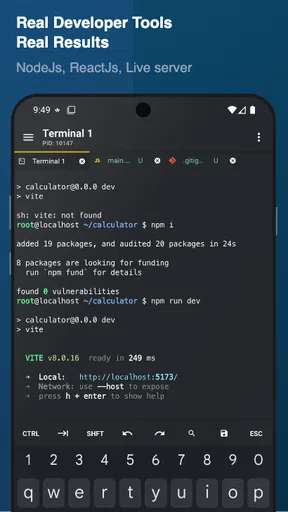
The app also boasts an integrated terminal, which is a game-changer. Running commands directly from the app without needing to switch to a separate terminal app enhances productivity and keeps you in the zone.
User Experience and Performance
I was pleasantly surprised by how smoothly Acode runs, even on older devices. The performance is snappy, and I haven’t experienced any lag or crashes so far. The developers clearly prioritized stability, which is crucial for a code editor.
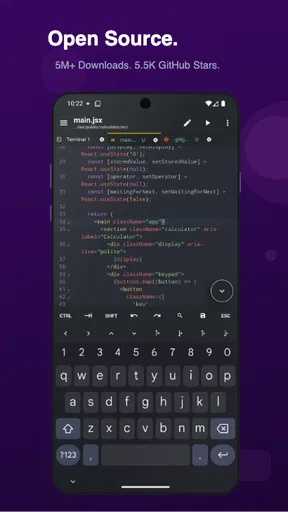
Additionally, the app’s support for syntax highlighting and auto-completion makes coding more intuitive and less error-prone. These features are like having a coding assistant right at your fingertips, helping you catch mistakes before they become a headache.
Customization and Personalization
If you’re like me and love to tweak things to your liking, Acode won’t disappoint. The app offers a variety of themes and font options, allowing you to personalize your coding environment. I found this particularly helpful during long coding sessions, as I could adjust the settings to reduce eye strain.
Community and Support
Being an open-source software, Acode has a vibrant community of users and developers. This means you’re not alone if you run into any issues or have questions. The community is active and responsive, and you’ll find plenty of resources online to help you make the most of the app.
Moreover, the app receives regular updates, ensuring that you have access to the latest features and improvements. It's reassuring to know that the developers are committed to enhancing the app and addressing any bugs that may arise.
Final Thoughts
All in all, Acode - code editor | OSS is a fantastic tool for anyone looking to code on the go. Whether you’re a seasoned developer or just starting out, this app offers a robust set of features that can meet your needs. The combination of its user-friendly interface, extensive language support, and customization options make it a must-have for mobile coders.
If you're ready to take your coding on the road, give Acode a try. You might just find it becomes an indispensable part of your toolkit. Happy coding!
Verdict
Strengths of Acode - code editor | OSS
- Intuitive interface, easy to navigate.
- Supports a wide range of file types.
- Offline functionality is reliable.
- Customizable themes enhance usability.
- Active developer support and updates.
Limitations of Acode - code editor | OSS
- Limited collaboration features.
- No built-in version control.
- Occasional lag with large files.
- Lacks advanced debugging tools.
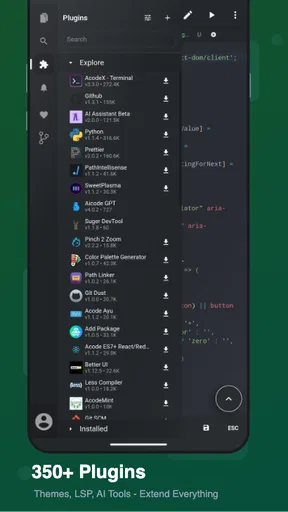
- Limited plugin ecosystem compared to competitors.
Similar Picks in This Category
View All
Google Calendar
Google LLC4.6

Google Drive
Google LLC4.3

Google Assistant
Google LLC3.9

Microsoft OneDrive
Microsoft Corporation4.6

Samsung Calendar
Samsung Electronics Co., Ltd.4.1

Microsoft OneNote: Save Notes
Microsoft Corporation4.6
Frequently Asked Questions
What platforms does Acode support?
Acode is a versatile code editor designed for Android devices. It allows users to write and edit code on the go, making it ideal for developers who want to code directly from their smartphones or tablets. However, it is not available for iOS or desktop platforms, focusing solely on Android.
Can Acode handle multiple programming languages?
Yes, Acode supports a wide range of programming languages, including HTML, JavaScript, CSS, Python, and more. This makes it a powerful tool for developers working with different technologies, allowing them to switch between languages seamlessly within the same interface.
Is Acode suitable for beginners in coding?
Acode is designed with both beginners and experienced developers in mind. While it offers advanced features for seasoned coders, its intuitive interface and straightforward navigation make it accessible for newcomers. Beginners can easily start coding and gradually explore more complex functionalities as they become more comfortable.
Does Acode support version control systems like Git?
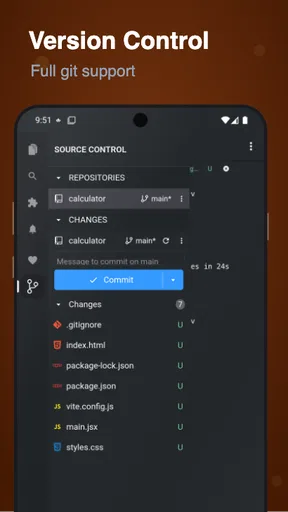
Acode provides support for Git, enabling users to manage their code versions directly from the app. This feature is essential for developers who need to collaborate on projects or maintain a history of changes, making Acode a practical choice for both individual and team projects.
What are the main limitations of Acode?
While Acode is a powerful tool for coding on Android, it has some limitations. It lacks some of the advanced features found in desktop IDEs, such as extensive debugging tools. Additionally, being an Android-only app, it doesn't offer cross-platform compatibility, which might be a drawback for those who switch between devices frequently.
